01 / The brief
Eight services, one place to order them.
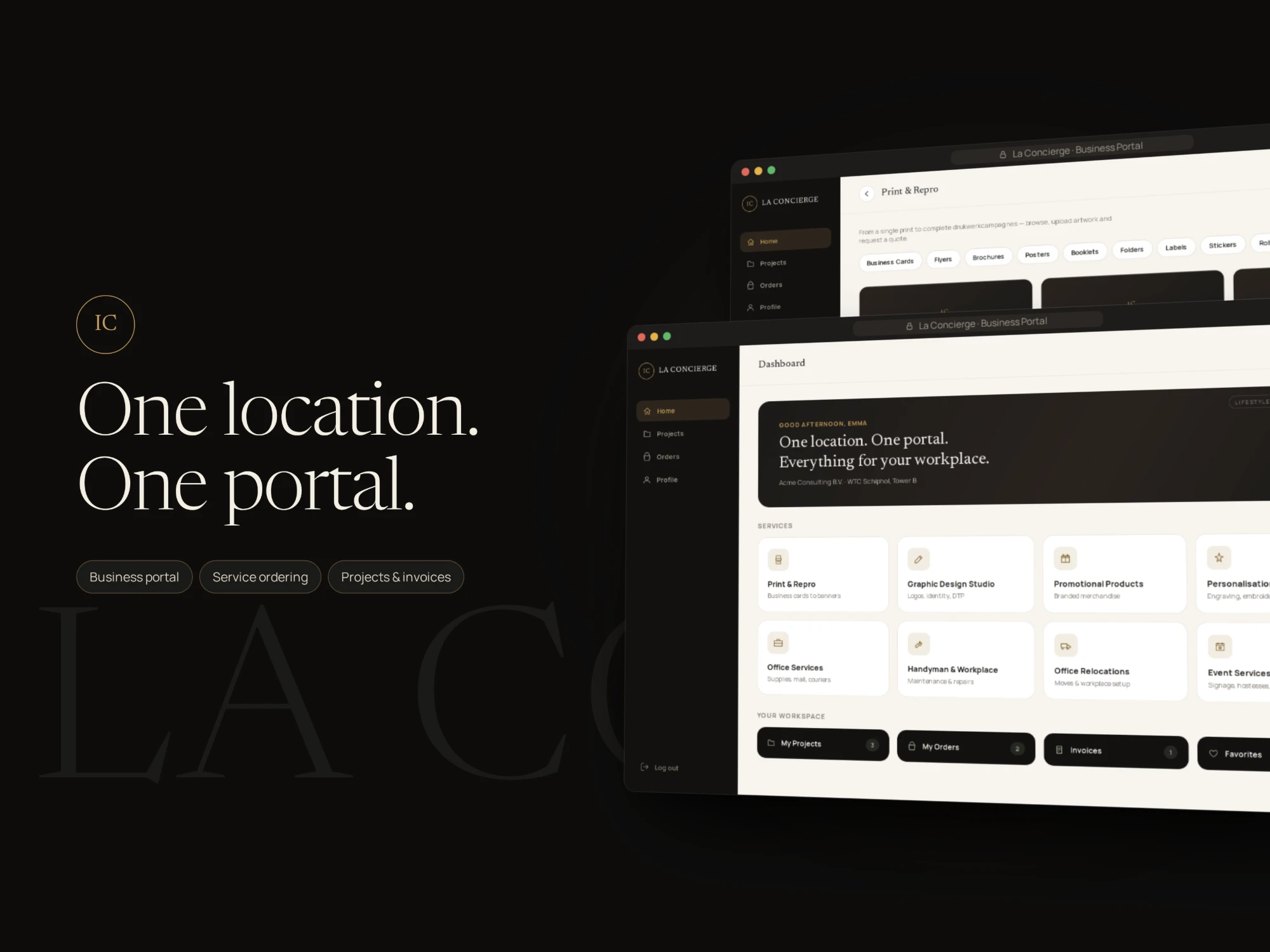
La Concierge runs workplace services for the companies based at WTC Schiphol: print and repro, graphic design, promotional products, personalisation, office services, handyman work, office relocations and events.
The brief was a private portal for those tenant companies. One sign-in to order any of the eight services, follow the work while it happens, and find the invoice once it is done, instead of a separate conversation for every request.
02 / The portal
Built around the tenant’s workspace.
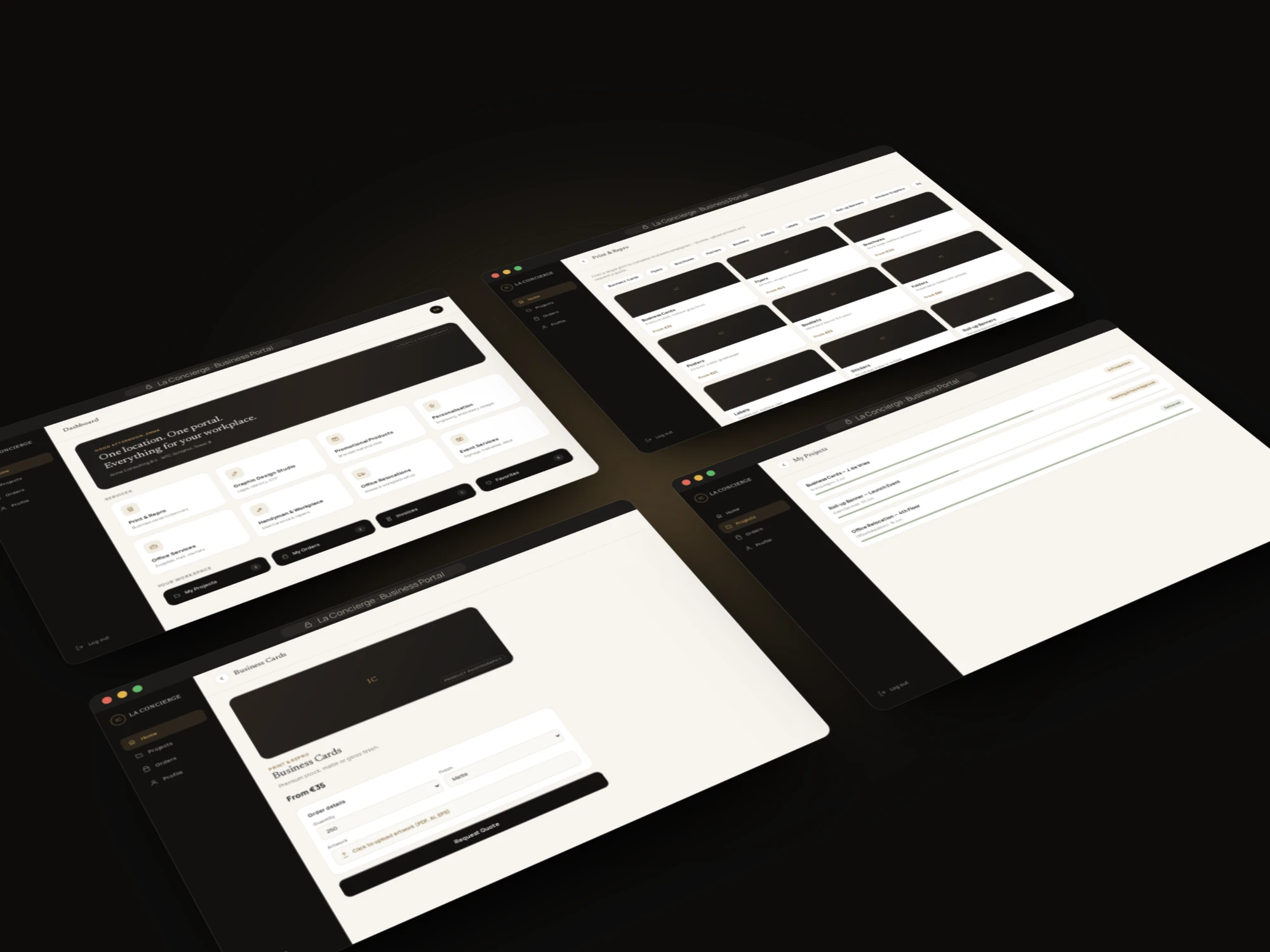
Everything a tenant does in the portal falls into three moves, and the navigation is exactly those three plus a profile: order something, check on it, and look up what has been ordered before.
Order
Service catalogue
Eight service categories, product pages with starting prices, and a quote request with artwork upload.
Track
Projects
Every job with its current stage and a progress bar, from artwork approval to delivered.
Account
Orders, invoices and users
Order history, invoices and the colleagues who can use the company account.
03 / Design decisions
Designed for someone ordering on behalf of a company.
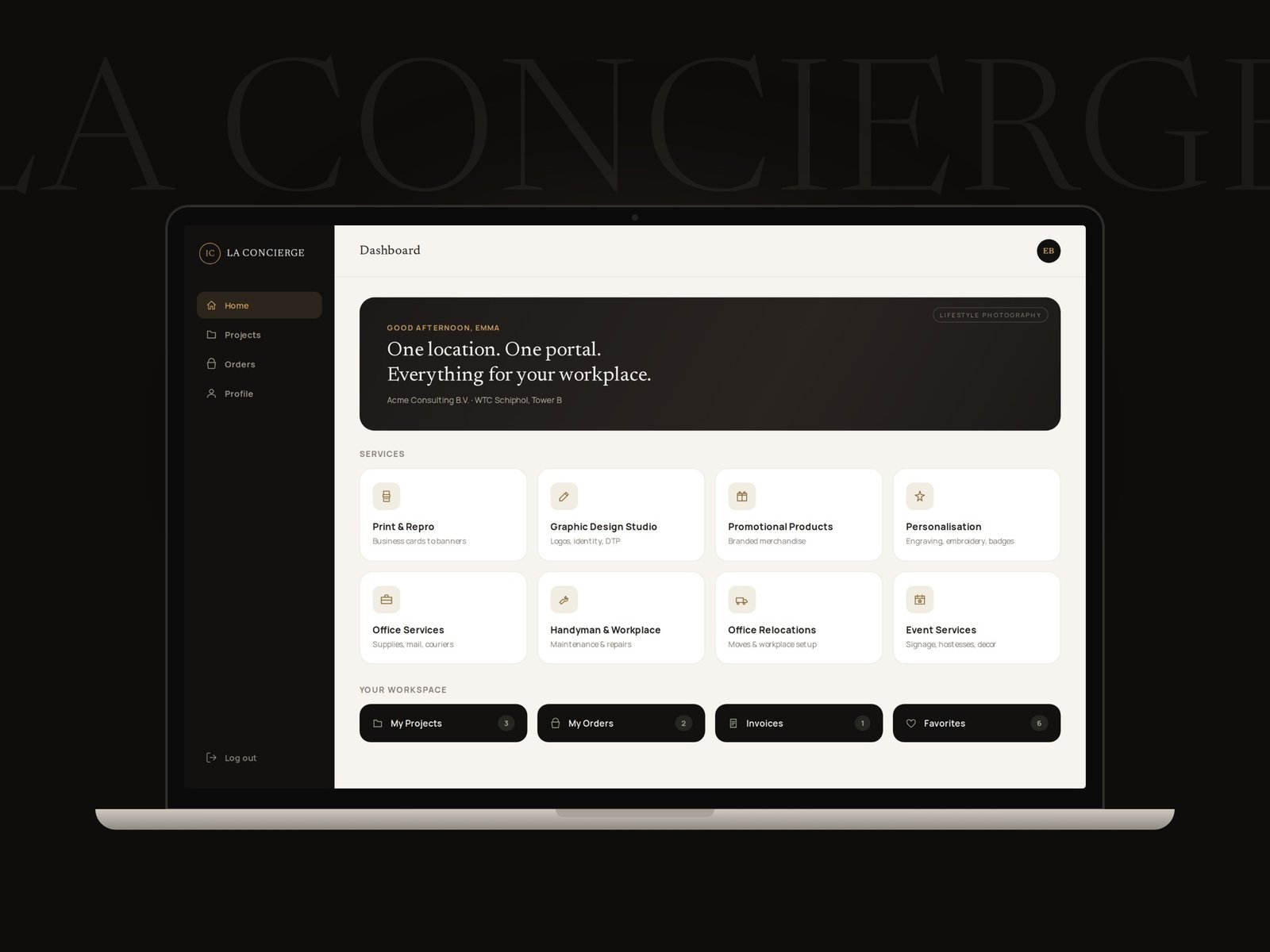
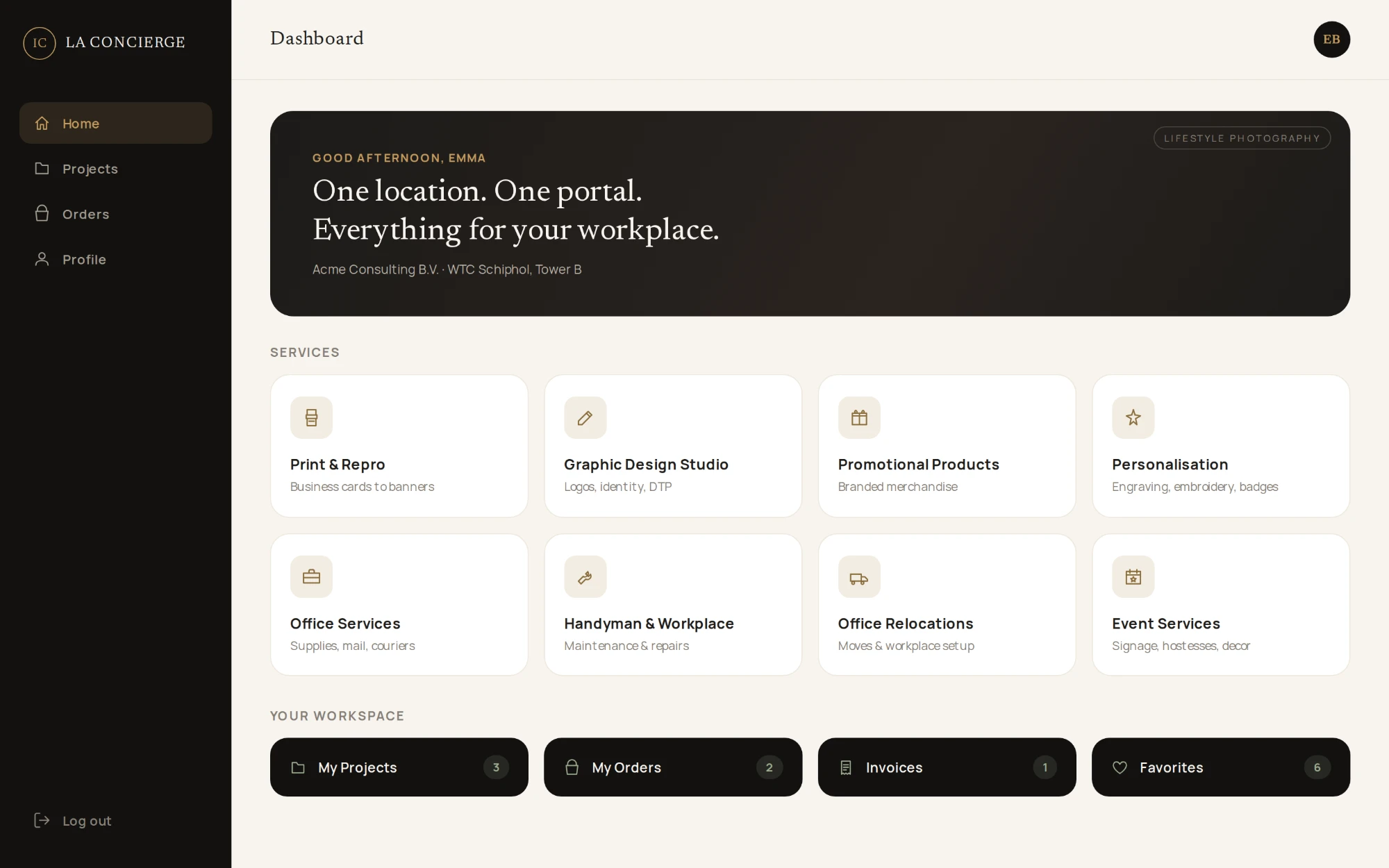
The dashboard is a menu, not a report.
The home screen opens on the eight services as tiles, each with an icon and one line saying what it covers, so a tenant starts from what they need rather than from a menu of departments. Below them, the workspace row goes straight to projects, orders, invoices and favourites, each with a count.
Prices up front, quotes for the rest.
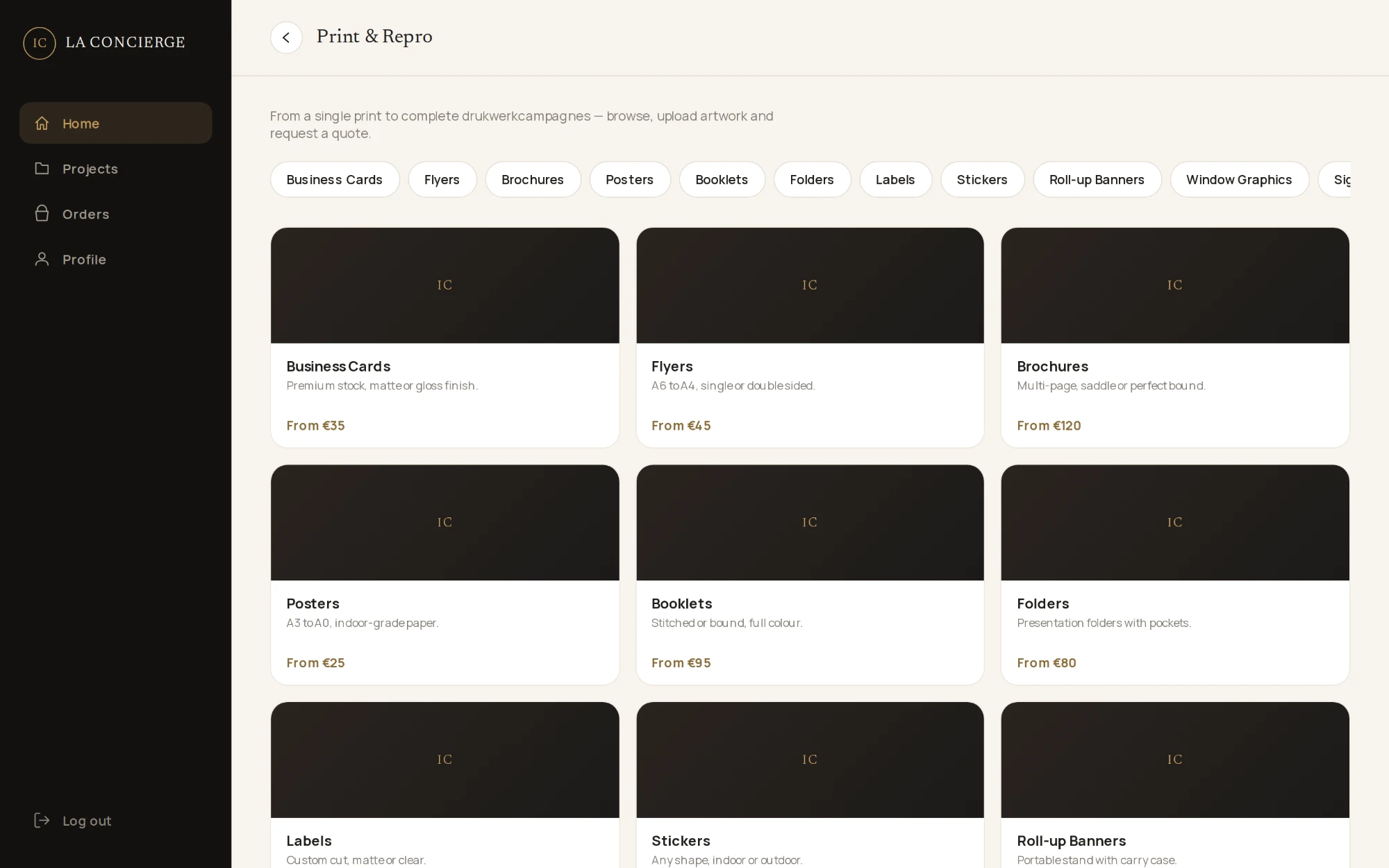
Print & Repro opens as a catalogue: product types as filter chips across the top, then a card per product with a short spec and a starting price. The starting price answers the first question before anyone has to ask it.
One short form to request a quote.
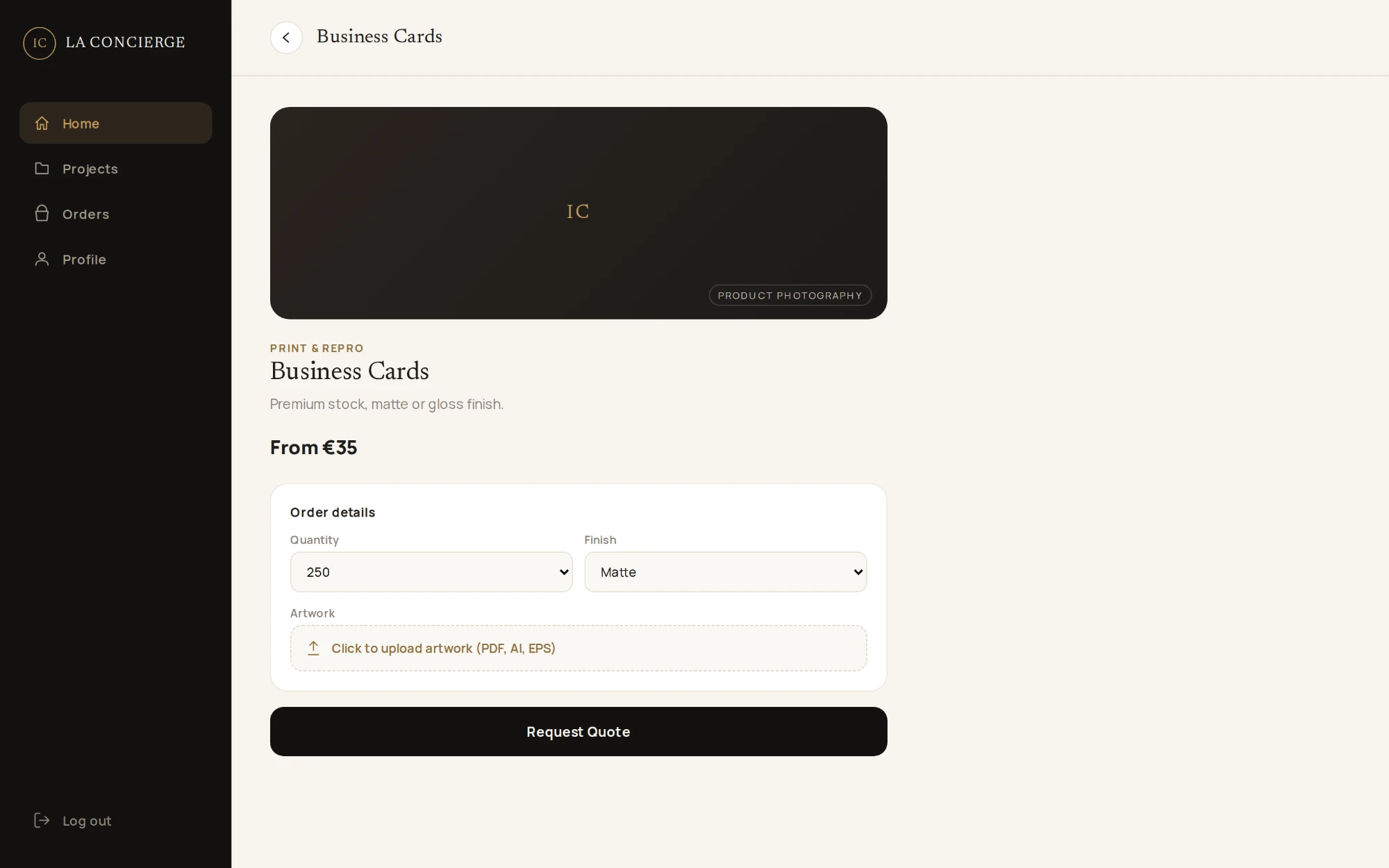
A product page asks only what the job needs, such as quantity and finish, takes the artwork file (PDF, AI or EPS) in the same step, and ends in a single Request Quote button.
04 / After the order
Status in plain words.
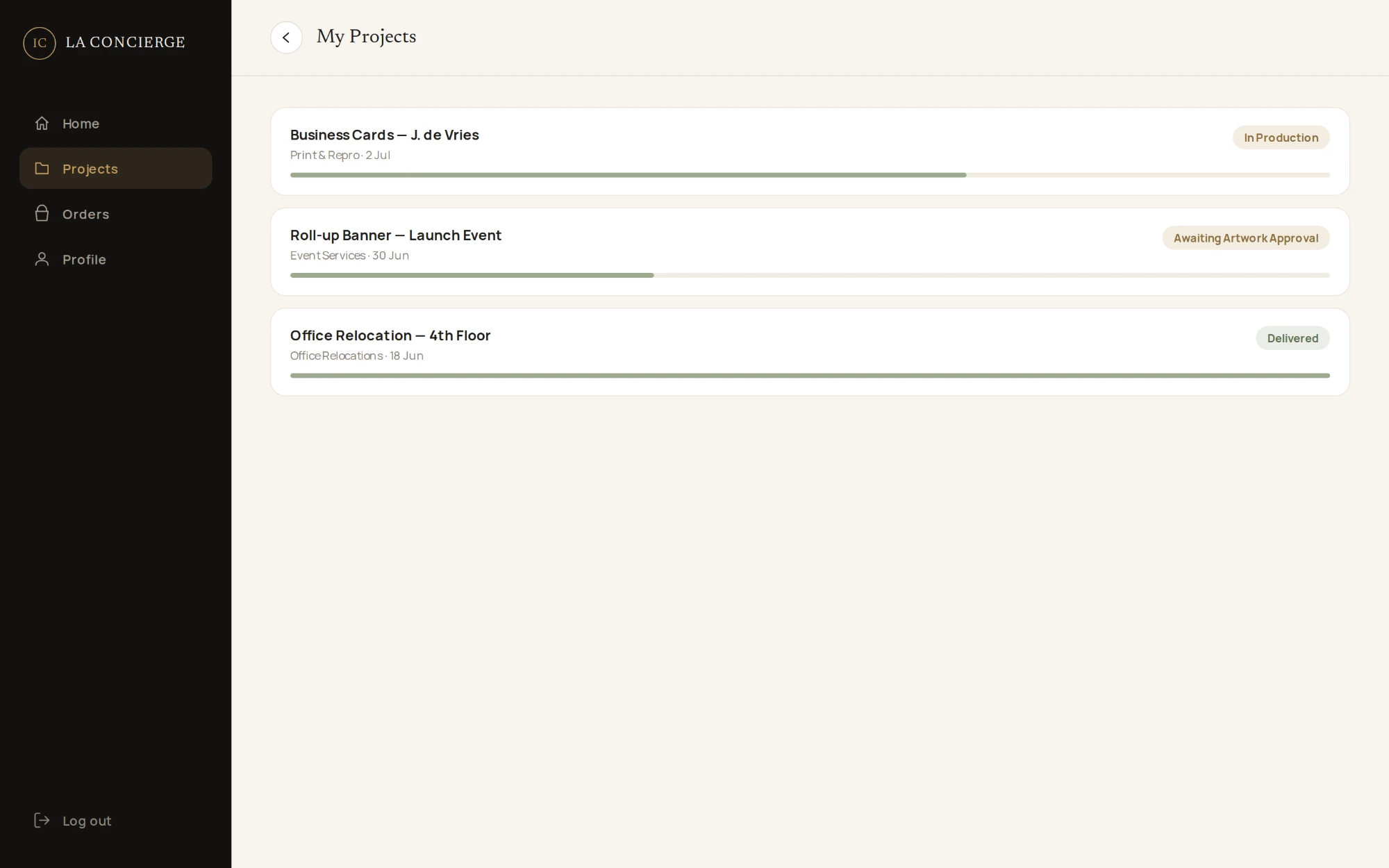
Each project shows its service, its date, a status in plain language, such as In Production, Awaiting Artwork Approval or Delivered, and a progress bar, so nobody has to email to ask where a job has got to.
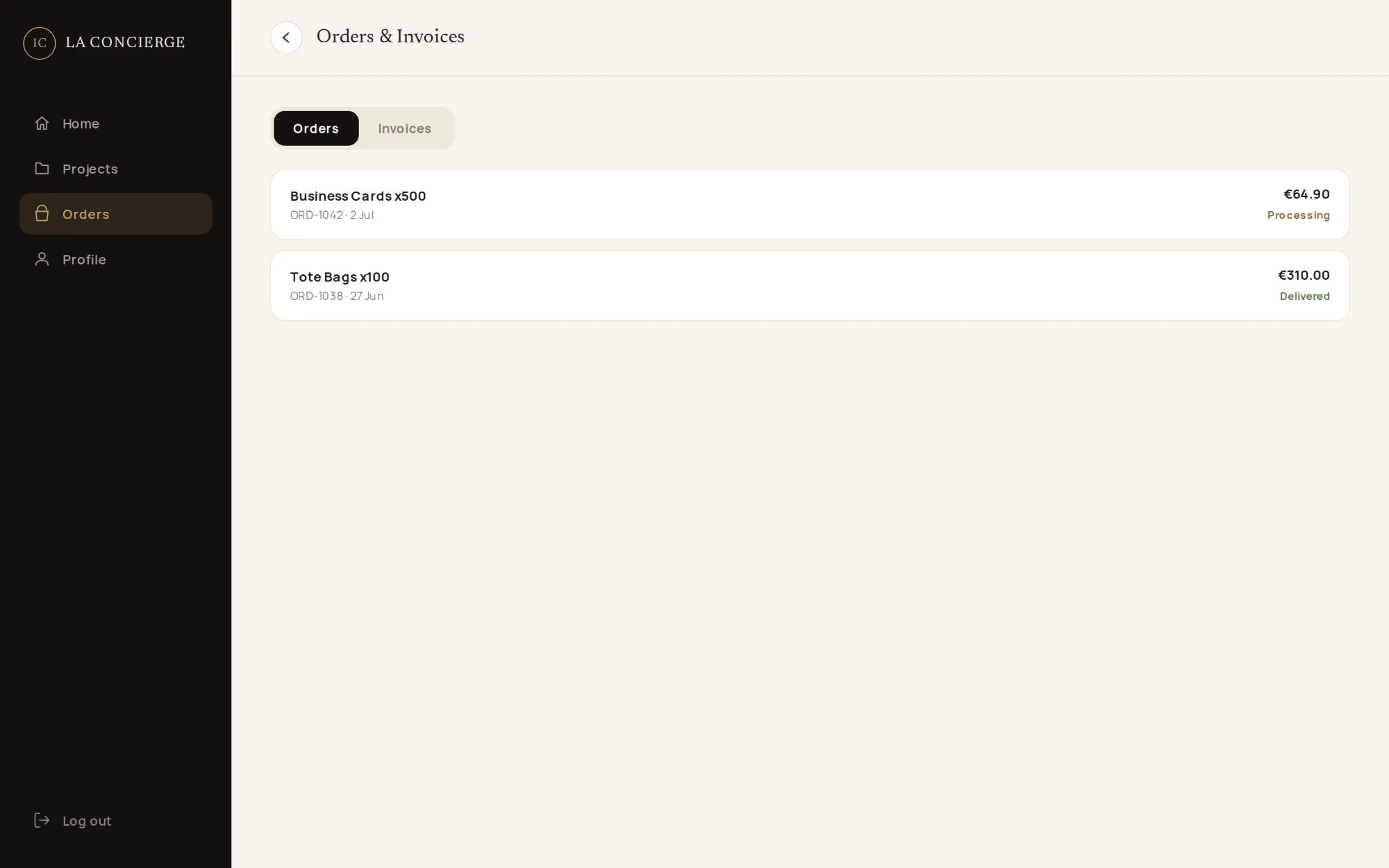
Orders and invoices share one screen with two tabs. Every order carries its reference number, date, amount and status, which is what finance asks for at the end of the month.
05 / Company accounts
One company, several people, different permissions.
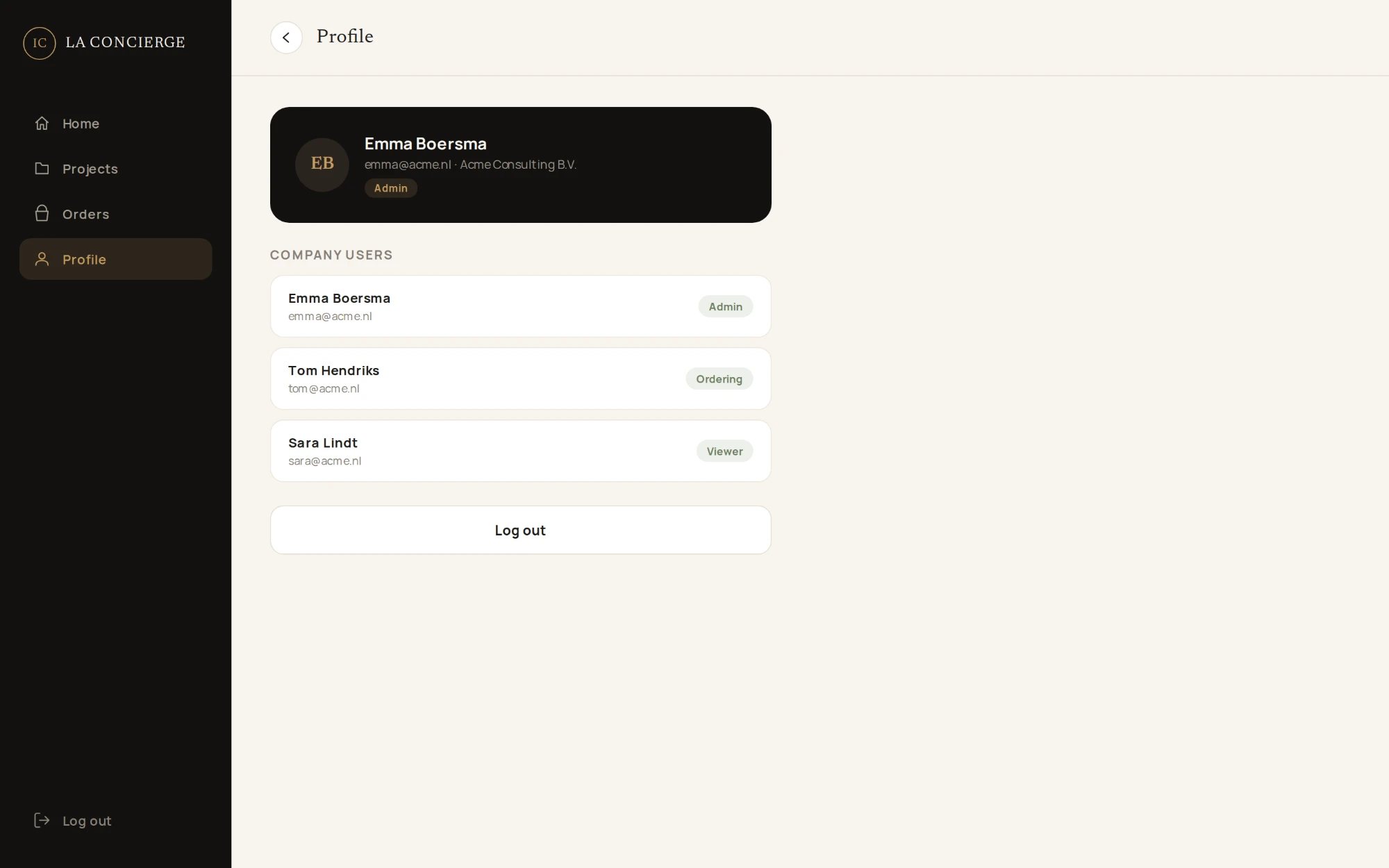
A tenant account belongs to the company, not to one person. The profile lists the company’s users with a role each: Admin, Ordering or Viewer, so a colleague can follow a project without being able to place an order.
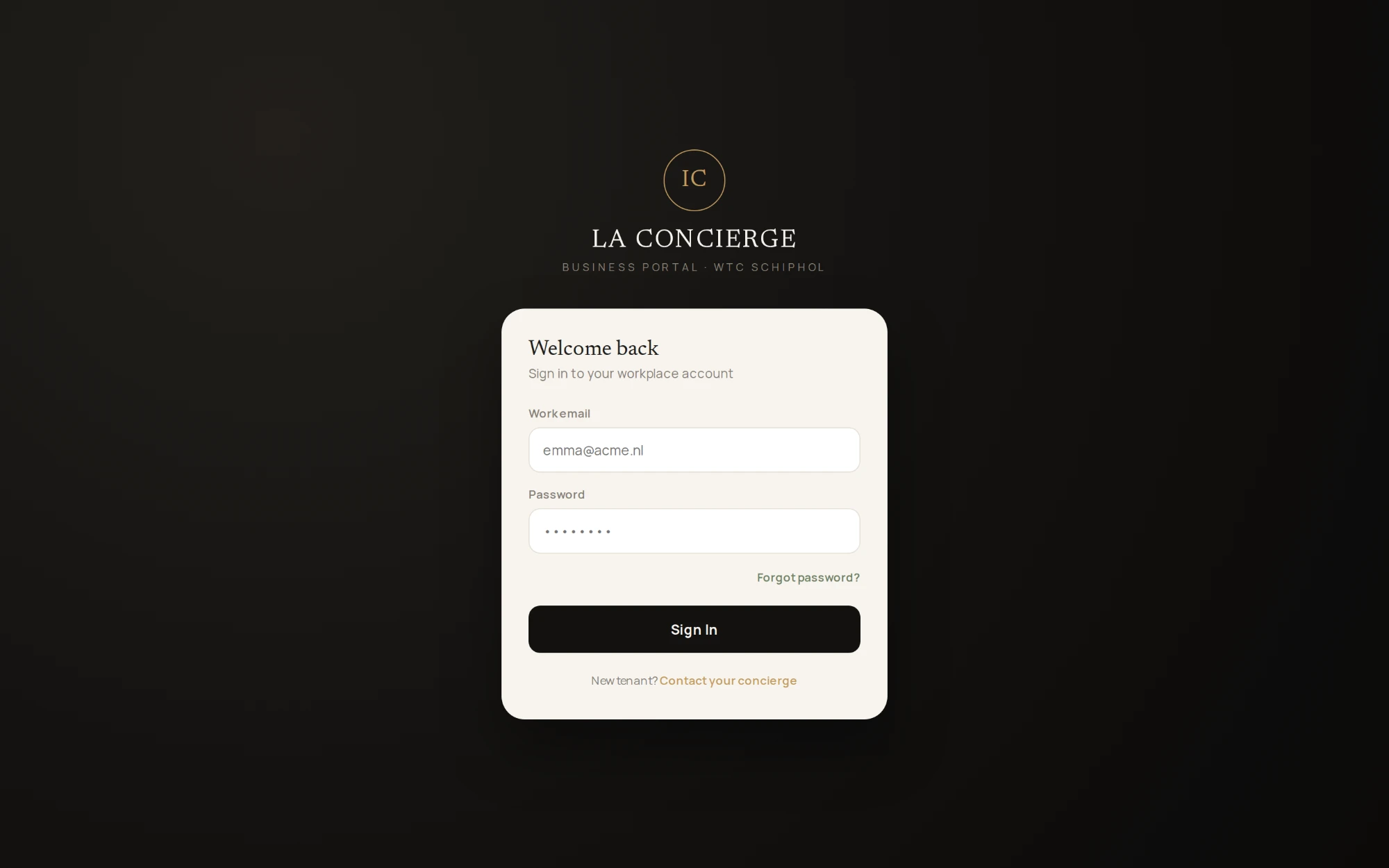
Sign-in is by work email. There is no public sign-up: a new tenant is pointed to their concierge, which keeps the portal to the companies in the building.
06 / The outcome
From a service menu to a working portal.
- UX flows. Ordering, quoting with artwork, project tracking, orders and invoices, and company users.
- UI design. Sign-in, dashboard, catalogue, product and quote, projects, orders and invoices, and profile, on one design system.
- Development. A Next.js and React front end on a Node.js back end, with company accounts and role-based permissions.